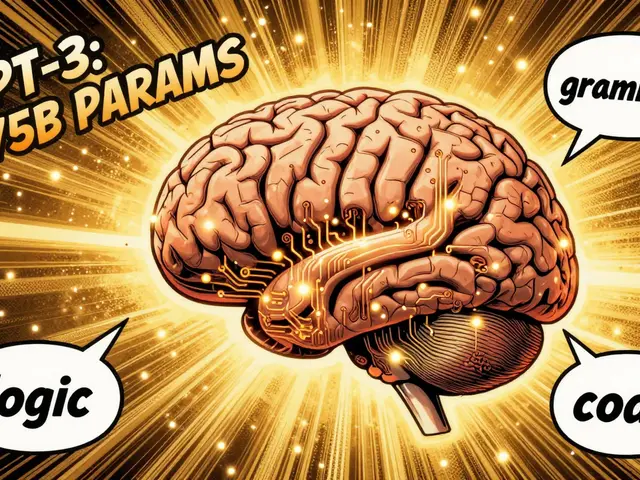
You ask an AI to calculate the compound interest on a $10,000 investment over 7 years at 4.5%. It confidently spits out a number that is off by hundreds of dollars. Why? Because large language models don't actually do math; they predict the next likely word based on patterns they've seen before. When you add tool-use integration, you stop asking the model to guess and start letting it use external tools like calculators, search engines, and code interpreters to get the right answer.
This approach isn't just a technical upgrade; it's a fundamental shift in how we trust AI outputs. If you're building applications where accuracy matters-like financial dashboards, research assistants, or customer support bots-you need to understand how to wire these tools into your LLM workflow.
The Core Problem: Why LLMs Fail at Facts and Math
Let's be honest about what an LLM is. It's a probabilistic engine. When GPT-4o or Grok generates text, it's calculating the probability of the next token. For creative writing, this is great. For arithmetic? It's terrible. Studies consistently show that as the complexity of a math problem increases, the error rate of pure LLMs skyrockets. They don't have a CPU running inside them; they have weights.
Then there's the knowledge cutoff. An LLM trained in early 2023 doesn't know who won the Super Bowl in February 2024 unless it was fine-tuned with fresh data, which is expensive and slow. This leads to "hallucinations"-confidently wrong answers. Tool-use integration solves both issues by separating reasoning from execution. The model decides *what* needs to be done, and the tool does the heavy lifting.

The Three Pillars of Accurate AI
To fix factuality, developers typically integrate three specific types of tools. Each serves a distinct purpose in the information pipeline.
1. Code Execution Environments
Think of this as giving the AI a sandboxed Python interpreter. Instead of trying to "think" its way through a derivative calculation or a data sorting task, the model writes a snippet of Python code, sends it to an executor, and gets back the precise result. OpenAI’s Code Interpreter (now often called Advanced Data Analysis) popularized this. It allows models to upload files, run pandas scripts, and even generate charts. If the code errors out, the model can read the error message, rewrite the code, and try again. This iterative debugging loop is crucial for complex tasks.
2. Web Search Tools
This bridges the gap between static training data and dynamic reality. When you enable web search, the model generates a query, fetches current results from the internet, and synthesizes them. xAI’s Grok, for example, integrates X (formerly Twitter) search alongside traditional web search. This is vital for news aggregation or checking stock prices. Without this, your AI is essentially a very smart encyclopedia that stopped printing yesterday.
3. Calculator APIs
While full code execution is powerful, it’s sometimes overkill. For simple arithmetic-adding up invoice totals, converting currencies-a dedicated calculator tool is faster and less prone to syntax errors. Some platforms offer lightweight calculator functions that handle basic operations without spinning up a whole Python environment. This reduces latency and cost for high-volume, low-complexity queries.

How the Architecture Actually Works
You might wonder, "Does the AI magically know when to use a tool?" Not exactly. It follows a structured protocol. Here’s the typical flow:
- User Query: You ask, "What is the average temperature in Asheville for the last week?"
- Intent Recognition: The LLM analyzes the prompt. It recognizes that "last week" implies real-time data and "average" implies calculation.
- Tool Selection: The model emits a special function call. In the xAI SDK, for instance, it might trigger `web_search()` to find historical weather data and then `code_execution()` to compute the mean.
- Execution: The application layer intercepts this call. It runs the search, retrieves the JSON data, passes it to a Python sandbox, and runs the averaging script.
- Result Return: The exact numerical answer is sent back to the LLM.
- Synthesis: The LLM takes that number and wraps it in natural language: "The average temperature was 68°F."