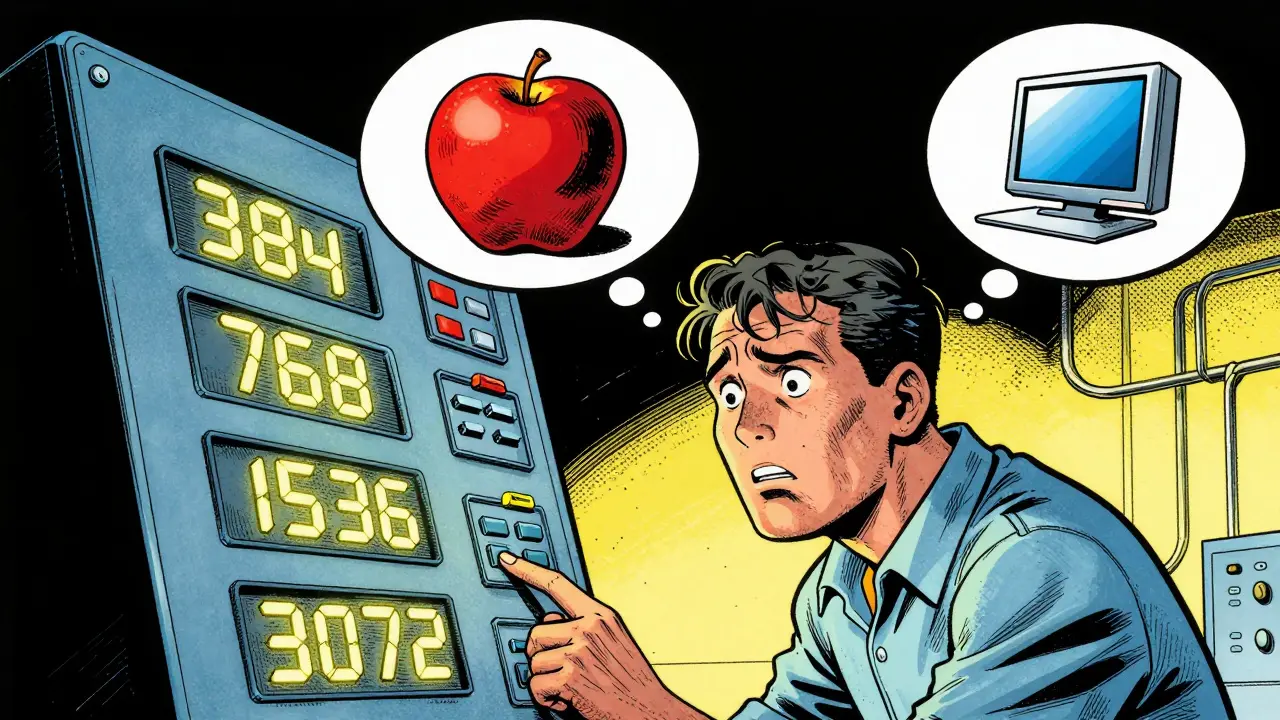
You've probably noticed that when picking an embedding model for your Retrieval-Augmented Generation (RAG) pipeline, you're hit with a variety of numbers: 384, 768, 1536, or even 3072. These aren't just random version numbers; they represent the embedding dimensionality. If you pick a number too low, your system might struggle to tell the difference between "apple" the fruit and "Apple" the tech company. Pick one too high, and your cloud bill for the vector database will skyrocket while your search latency crawls.
The core challenge is that embedding dimensionality is the length of the vector generated by a model to represent a piece of text. This vector acts as a coordinate in a high-dimensional space. The more dimensions you have, the more "room" the model has to store nuanced semantic details. But in the real world, we have to balance this semantic richness against the cold, hard reality of RAM and CPU costs. This is the central tension of any RAG strategy.
Key Takeaways for Dimensionality Selection
- 768 to 1,536 dimensions are the "sweet spot" for most general-purpose enterprise RAG apps.
- Higher dimensions provide better resilience when you need to compress data later using quantization.
- MRL models allow you to change the vector size *after* training without losing as much accuracy.
- Storage costs scale linearly with dimensionality; doubling your dimensions doubles your memory footprint.
Decoding the Dimensionality Spectrum
Not all dimensions are created equal. Depending on what you're building, your needs will shift. For example, if you're building a simple FAQ bot for a coffee shop, a lightweight model like BAAI/bge-small-en-v1.5 with 384 dimensions is plenty. It's fast, cheap, and the concepts it needs to distinguish are simple.
However, if you're indexing thousands of medical research papers, you need a model that can distinguish between two very similar chemical compounds. In this case, moving toward 3,072 dimensions-like those seen in OpenAI's text-embedding-3-large-is almost mandatory. The extra dimensions capture the fine-grained distinctions that a smaller model would simply flatten into the same point in space.
| Use Case | Recommended Dimensions | Primary Benefit | Trade-off |
|---|---|---|---|
| Edge/Mobile Deployment | 384 - 512 | Ultra-low latency | Lower semantic precision |
| General Enterprise Search | 768 - 1,536 | Balanced performance | Moderate storage costs |
| Scientific/Legal Analysis | 2,048 - 4,096 | High nuance/precision | High RAM & CPU usage |
The Hidden Cost of Large Vectors
It's easy to think, "I'll just take the biggest model to be safe." But at scale, this becomes a nightmare. Vector databases store these embeddings as arrays of floats. If you have 10 million documents and use 3,072-dimensional vectors (float32), you're looking at roughly 120GB of raw data just for the embeddings, not including the index overhead.
Search complexity also increases. Every time a user asks a question, the database has to calculate the distance (usually cosine similarity) between the query vector and your stored vectors. More dimensions mean more floating-point operations per comparison. This leads to higher p99 latency, which can make your RAG system feel sluggish and unresponsive.

Smart Ways to Shrink Your Vectors
If you find that high-dimensional vectors are too expensive, you don't have to just switch to a worse model. There are several ways to optimize.
First, consider Quantization. This involves changing the data type of the vector. Instead of using float32 (4 bytes per dimension), you can use float8 or even binary quantization (1 bit per dimension). Interestingly, models with higher original dimensionality are more resilient to this. They have more redundancy, so when you "crunch" the numbers, the semantic meaning survives better than in a model that was already small.
Then there are post-hoc methods like PCA (Principal Component Analysis). PCA identifies which dimensions contribute the most variance and lets you discard the least important ones. While useful, this is a "dumb" reduction because the model wasn't trained to be compressed. You're essentially cutting pieces off a sculpture and hoping the image is still recognizable.
The Game Changer: Matryoshka Representation Learning
There is a newer approach called Matryoshka Representation Learning (MRL). Think of it like Russian nesting dolls. MRL models are trained so that the most important information is packed into the first few dimensions of the vector.
With an MRL-enabled model, you can store a 1,536-dimensional vector but only perform your initial search using the first 128 dimensions. This allows you to quickly narrow down the top 100 candidates and then "re-rank" them using the full vector. You get the speed of a tiny model and the precision of a huge one, all within a single embedding. This is currently one of the most efficient ways to handle large-scale RAG deployments.

How to Validate Your Choice
Don't guess-measure. The best way to pick your dimensionality is to create a Pareto curve. Plot your retrieval performance (using a metric like Recall@K or MRR) on the Y-axis and the storage size/latency on the X-axis.
Run a few tests using different dimensionality levels (e.g., 25%, 50%, 75%, and 100% of the original vector). You'll often find a "knee" in the curve where you can cut 50% of the dimensions but only lose 2% of the accuracy. That "knee" is your optimal configuration. For most companies, the cost of that 2% accuracy loss is far outweighed by the 50% reduction in infrastructure costs.
Does a higher dimension always mean better retrieval?
Not necessarily. While higher dimensions *can* capture more nuance, they can also introduce noise if the model isn't trained well. More importantly, if the dimensionality is too high for your specific dataset, you might experience "the curse of dimensionality," where the distance between all points becomes nearly equal, making it harder for the model to find the truly most relevant document.
Can I change the dimensionality of my embeddings after I've already indexed my data?
Generally, no. If you use a standard model, you have to re-embed your entire knowledge base if you change models or dimensions. The only exception is if you used a Matryoshka (MRL) model, which allows you to simply truncate the vectors to a smaller size without re-indexing everything.
How does context window size relate to embedding dimensions?
They are different levers. The context window (e.g., 8K or 32K tokens) determines how much text the model can "read" at once to create the embedding. The dimensionality determines how complex that summary is. You can have a huge context window but a small dimensionality, which means the model reads a whole book but describes it with a very simple set of coordinates.
What is the impact of binary quantization on dimensionality?
Binary quantization turns each dimension into a 0 or 1. This reduces storage by up to 32x. Because the compression is so aggressive, using a model with higher initial dimensionality helps maintain accuracy, as the redundancy in the larger vector acts as a buffer against the information loss caused by binarization.
Which model is best for a low-latency RAG system?
For low latency, look for models specifically optimized for speed, such as the BGE or E5 series, or use MRL models. Prioritize dimensionalities in the 384-768 range. If you need higher precision, use a high-dimensional model but implement a two-stage retrieval process: a fast coarse search with small dimensions followed by a precise re-ranking stage.
Next Steps for Implementation
If you're just starting, go with a 768-dimensional model. It's the industry standard for a reason-it works for most things. As you grow, start monitoring your vector database's memory usage. If you hit a wall, don't immediately jump to a smaller model; first try int8 quantization. If that's still too slow, look into implementing a Matryoshka-based pipeline to decouple your storage size from your search speed. Finally, always keep a small "golden dataset" of 100-500 query-document pairs to test every change you make to your dimensionality; otherwise, you're flying blind.




9 Comments
mark nine
mrl is honestly a lifesaver here. most people just throw the biggest model at the problem and wonder why their latency is trash. starting with a mid-range dim and then optimizing with quantization is the way to go
Scott Perlman
this is super helpful
Sandi Johnson
oh yeah because obviously the best way to solve everything is just to add more dimensions until the server catches fire
truly revolutionary stuff here
Tony Smith
I find it absolutely delightful how some practitioners believe a larger vector size is a magical panacea for all retrieval failures. It is truly a testament to human optimism that we believe adding a few thousand floats will solve the fundamental lack of quality in our source documents.
Eva Monhaut
The way this breaks down the trade-offs is just brilliant. It's like a roadmap for navigating the foggy wilderness of vector space without losing your mind or your budget. I love how it highlights the nuance of scientific data versus simple bots
Rakesh Kumar
OH MY GOD! I had no idea Matryoshka learning even existed! This is absolutely mind-blowing and changes everything for my current project! I'm going to try this right now and see if my RAG system finally stops acting like a snail!
Bill Castanier
Great guide. Very clear a-to-z breakdown.
Ronnie Kaye
wow just wow. imagine thinking you can just use PCA and hope for the best. that is a bold strategy cotton let's see if it pays off or if the whole index just collapses into a pile of random noise
Priyank Panchal
Stop wasting time with a 768-dimensional baseline. If your data is complex, anything under 1536 is a joke. You're just sacrificing precision for a few cents of cloud spend and it's pathetic to see people suggest otherwise. Do the work and use the high-dim models or don't complain when your retrieval is garbage