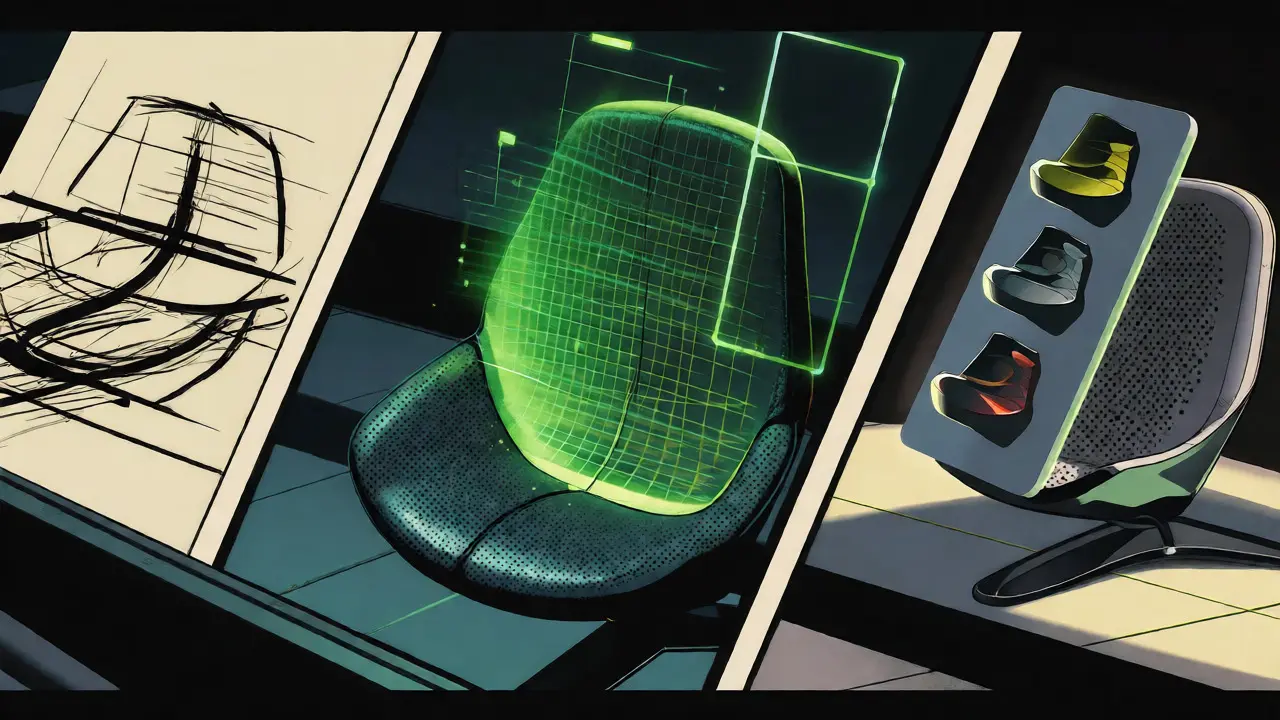
Imagine you need to design a new ergonomic chair. Traditionally, you’d sketch a few ideas, build a foam model, test it, fail, and start over. That cycle takes weeks. Now, imagine typing "a breathable mesh backrest with lumbar support for office workers" into a system that instantly generates 50 different 3D models, simulates stress tests on each, and ranks them by comfort and cost. You pick three, tweak the armrests via voice command, and have a manufacturable file in an afternoon. This isn't sci-fi; it's the reality of Multimodal Generative AI in product design. It’s changing how we move from a vague idea to a physical prototype faster than ever before.
| Benefit | Traditional Workflow | AI-Enhanced Workflow |
|---|---|---|
| Ideation Speed | Days to weeks per concept | Minutes for hundreds of variations |
| Testing Method | Physical prototypes & manual simulation | Digital twins & surrogate models |
| Iteration Cost | High (materials, labor, time) | Low (compute power only) |
| Data Input | Manual parameter entry | Text, images, sketches, audio |
What Is Multimodal Generative AI in Design?
Most people know generative AI as tools that write text or create art. But in engineering and product design, it’s far more powerful because it handles multiple types of data at once-hence the term "multimodal." It doesn’t just look at text prompts. It ingests text specifications, image sketches, audio feedback, and technical parameters simultaneously. When you combine these inputs, the AI understands context better than any single-input tool could. For example, you can upload a rough napkin sketch of a drone, type "needs to be waterproof," and record a voice note saying "make it lighter." The system synthesizes all this into a coherent 3D structure. This approach bridges the gap between creative intuition and rigid engineering constraints, allowing designers to explore possibilities that manual methods would never uncover.
The Six-Stage Design Loop
You might wonder how this actually works in practice. Researchers at NVIDIA outlined a six-stage process that many modern platforms now follow. It’s not magic; it’s a structured workflow. First is Generate. Here, the AI creates initial options based on your constraints. Next is Analyze. Instead of waiting days for a simulation, the AI uses predictive modeling to estimate performance immediately. Then comes Rank, where designs are sorted by criteria you care about, like weight or strength. The Evolve stage lets you refine top choices using natural language feedback, such as "make the edges smoother." After that, Explore allows you to visualize these designs in VR or AR to spot issues humans might miss. Finally, Integrate prepares the chosen design for manufacturing. This loop repeats rapidly, turning a linear process into a circular, iterative one.
Why Speed Matters More Than Ever
In industries like consumer electronics or automotive, speed is currency. If you’re slow to market, you lose. Multimodal AI slashes the time-to-market significantly. Consider a case study involving a team exploring smartphone designs. They analyzed user feedback, market trends, and existing sketches all at once. Within hours, they generated over 2,500 concept images. From those, they narrowed down to 12 finalized concepts. Doing this manually would have taken months. By using surrogate models-AI approximations of complex physics simulations-the team evaluated thousands of variations without running full computational fluid dynamics (CFD) tests on each. This means you don’t have to choose between thoroughness and speed anymore. You get both.
From Sketch to Simulation: Real-Time Feedback
One of the biggest pain points in traditional design is the disconnect between drawing something and knowing if it will break. Usually, you draw, then hand it off to an engineer who runs simulations, then tells you it failed, and you go back to the drawing board. Multimodal AI closes this loop. Tools like Neural Concept automate the simulation part. As you adjust a shape in real-time, the AI predicts how stress loads will affect it. You see the results instantly. This immediate feedback encourages experimentation. Designers stop being afraid to try weird shapes because the cost of failure is just a click, not a wasted week. It also helps non-engineers participate more actively in the design process, since they don’t need to understand the deep math behind finite element analysis (FEA) to make informed decisions.
Human-AI Collaboration: Who Does What?
Does this mean designers are obsolete? Absolutely not. In fact, their role becomes more critical. AI is fantastic at generating options, but it lacks taste, ethical judgment, and contextual understanding of brand identity. The human designer sets the goals and constraints. They define what "good" looks like. The AI executes the heavy lifting of exploration. Think of it as having a junior engineer who never sleeps and can generate ten thousand ideas in the time it takes you to drink coffee. Your job shifts from creating every pixel to curating and refining. You validate feasibility, check manufacturability, and ensure the final product aligns with user needs. The technology enhances creativity rather than replacing it, freeing up mental energy for higher-level strategic thinking.

Industry Applications Beyond Tech
While tech companies were early adopters, other sectors are catching up fast. In fashion, brands use multimodal AI to create virtual clothing samples. Customers can view and interact with digital garments in augmented reality before the first physical piece is sewn. This reduces waste and speeds up trend response times. In aerospace, engineers use these tools to optimize parts for weight reduction, which directly impacts fuel efficiency. Even in medical device design, where precision is paramount, AI helps iterate through complex geometries that fit human anatomy better than standard molds. The common thread across these industries is the ability to handle diverse data inputs-patient scans, fabric textures, aerodynamic data-and turn them into actionable design improvements quickly.
Pitfalls to Avoid
It’s not all smooth sailing. There are limits. First, garbage in, garbage out. If your input constraints are vague, the AI will generate irrelevant noise. You must clearly define the design space, load conditions, and material limits. Second, AI-generated designs often require significant cleanup. They might look great digitally but be impossible to manufacture with current machinery. Human validation is still mandatory. Third, training data quality matters. If the AI was trained on poor simulation data, its predictions will be inaccurate. Always verify critical safety features with traditional testing methods before mass production. Don’t let the speed tempt you into skipping essential validation steps.
Getting Started: A Practical Checklist
- Define Clear Constraints: Before prompting the AI, list exactly what cannot change (e.g., budget, material, size).
- Start Broad: Let the AI generate many variations initially, even if some seem odd.
- Use Natural Language: Don’t be afraid to describe aesthetics or feelings in your prompts.
- Validate Early: Check the manufacturability of top candidates immediately.
- Iterate with Feedback: Use specific phrases like "reduce weight by 10%" to guide the evolution stage.
Do I need coding skills to use multimodal generative AI for design?
No. Most modern platforms offer no-code or low-code interfaces. You interact using natural language, sketches, and sliders. While technical knowledge helps in setting precise constraints, the barrier to entry has dropped significantly, allowing designers without programming backgrounds to leverage these tools effectively.
Can AI replace physical prototypes entirely?
Not yet. While AI drastically reduces the number of physical prototypes needed, final validation usually requires physical testing. Things like tactile feel, assembly ease, and real-world durability often reveal issues that digital simulations miss. However, you’ll likely need far fewer physical units than before.
How does multimodal AI differ from standard CAD software?
Standard CAD is deterministic-you draw exactly what you want. Multimodal AI is probabilistic and exploratory. It generates options based on goals and constraints, offering solutions you might not have thought of. It integrates disparate data types (text, image, specs) to inform the design, whereas traditional CAD relies mostly on geometric commands.
Is my proprietary design data safe when using these AI tools?
This depends on the platform. Many enterprise-grade solutions offer private cloud instances where your data isn’t used to train public models. Always check the vendor’s data privacy policy. Look for compliance with standards like SOC 2 or GDPR if you work in regulated industries.
Which industries benefit most from this technology right now?
Consumer electronics, automotive, aerospace, and fashion are leading the way. These sectors face high pressure for innovation and customization. Medical devices are also adopting these tools rapidly due to the need for patient-specific fits and complex geometries.