
Why Your LLM Feels Slow-And How to Fix It
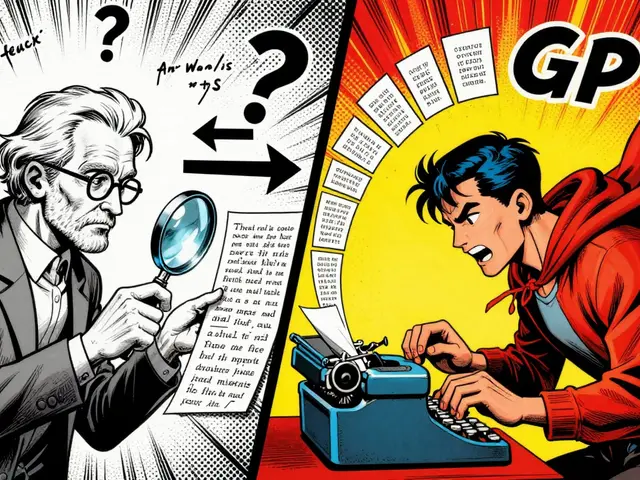
Imagine asking a chatbot a question and waiting 3 seconds for a reply. You type again. Wait another 2.5 seconds. By the third time, you’ve given up. That’s not frustration-it’s latency. For large language models (LLMs), latency isn’t just an annoyance; it’s a dealbreaker. Users notice delays over 500ms. In real-time applications like customer support bots or AI assistants, anything above 200ms starts hurting engagement. The good news? You can cut that delay by 70% or more using three proven techniques: streaming, batching, and caching.
Streaming: Deliver Words as They’re Generated
Traditional LLMs wait until the entire response is ready before sending anything. That means if your model takes 2 seconds to generate a 100-word reply, the user sees nothing for 2 seconds. Streaming changes that. Instead of waiting, the system sends tokens-words or parts of words-as soon as they’re ready.
This isn’t just about speed. It’s about perception. When users see the first word appear in under 200ms, they feel the system is responsive-even if the full reply takes longer. Companies like Amazon Bedrock use streaming to reduce time-to-first-token (TTFT) by over 97% at the 90th percentile. For a chatbot, that means the user gets a reply before they even finish reading their own question.
Tools like vLLM and NVIDIA’s TensorRT-LLM handle streaming efficiently by overlapping token generation with network transmission. You don’t need a massive GPU setup to start. Even on a single A100, streaming can cut perceived latency by 20-30%. The catch? Your frontend must support chunked responses. Most modern frameworks like React, Vue, or even simple JavaScript fetch() with readable streams can handle it.
Batching: Group Requests to Maximize GPU Use
GPUs are powerful, but they’re expensive. If you run one request at a time, you’re wasting 90% of your hardware. Batching solves this by combining multiple user requests into a single inference pass.
There are two types: static and dynamic. Static batching groups requests ahead of time-like collecting 8 questions and running them together. It’s simple but inflexible. If one request is long, the whole batch waits. Dynamic (or in-flight) batching, used by vLLM and DeepSpeed, constantly adjusts. New requests join the batch as it runs. If one user’s prompt ends early, the GPU immediately starts processing the next one.
According to vLLM’s 2024 benchmarks, dynamic batching boosts throughput by 2.1x compared to static batching at the 95th percentile latency. For a service handling 100 requests per second, that means you can cut your GPU count in half. But there’s a trade-off: batching can increase tail latency. During traffic spikes, some users might wait longer because they’re stuck behind a slow request. That’s why smart systems cap batch sizes and prioritize urgent queries.
Start small. If you’re serving 10-20 requests per second, try batching 4-8 requests. Monitor your 95th percentile latency. If it jumps above 600ms, reduce the batch size. You’re not optimizing for peak throughput-you’re optimizing for user experience.

Caching: Don’t Recalculate What You’ve Already Done
Not every question is new. In customer service bots, 30-50% of queries repeat: “How do I reset my password?” “What’s your return policy?” “Do you ship to Canada?”
Key-value (KV) caching stores the internal attention states from previous responses. When the same or similar prompt comes in again, the model skips the heavy computation and jumps straight to generating the reply. This isn’t storing the answer-it’s storing the model’s internal thinking.
Redis-based KV caches have shown 2-3x speed improvements for repeated queries. Snowflake’s Ulysses technique and FlashInfer’s block-sparse cache formats push this further, cutting long-context latency by up to 30%. For a support bot handling 5,000 daily tickets, caching could mean cutting your inference costs by 40%.
But caching has risks. If you cache too aggressively, you might return outdated or incorrect responses. One Reddit user reported hallucinations when cached attention states mixed with slightly altered prompts. The fix? Use similarity matching, not exact string matches. Tools like FAISS or approximate nearest neighbor search can group semantically similar questions. Also, set memory limits. If your GPU hits 80% cache usage, start evicting older entries. Don’t let caching eat your memory.
Tensor Parallelism: When You Need Raw Speed
Streaming, batching, and caching work on the software side. Tensor parallelism works on the hardware side. It splits the model across multiple GPUs so each one handles a portion of the computation.
For example, if you’re running a 70B parameter model like Llama 3.1, one H100 GPU might struggle. But split it across four H100s with NVLink, and latency drops by 33% at batch size 16. NVIDIA’s 2024 guide shows that going from 2x to 4x parallelism cuts token latency significantly-especially when handling many users at once.
But this isn’t plug-and-play. You need NVLink for fast GPU-to-GPU communication. You need PyTorch and CUDA knowledge to configure it. And you need to accept that debugging becomes harder. As MIT’s Dr. Emily Rodriguez found, parallelized models make tracing errors 3-4x more difficult.
Only use tensor parallelism if you’re serving 50+ concurrent requests and your latency is still above 400ms after optimizing streaming and batching. For most applications, it’s overkill. But for high-volume APIs or enterprise chatbots with 10,000+ daily interactions, it’s essential.
Putting It All Together: The Real-World Stack
Most successful teams don’t pick one technique-they layer them.
Here’s what a production setup looks like in 2026:
- Start with streaming. Reduce TTFT to under 200ms. This gives users immediate feedback. Use vLLM or Hugging Face TGI.
- Add dynamic batching. Group requests to maximize GPU usage. Aim for batch sizes of 8-16. Monitor tail latency.
- Implement KV caching. Cache responses for common questions. Use Redis or in-memory cache with LRU eviction. Set a 20GB limit per GPU for 7B models.
- Use speculative decoding (optional). Run a smaller model (like Phi-3) to predict the next few tokens. If correct, skip computation. Gains: 2.4x speedup, with only 0.3% accuracy loss.
- Scale with tensor parallelism (if needed). Only when you’re hitting GPU limits and need sub-150ms latency at scale.
A Fortune 500 company followed this exact path. Their average response time dropped from 850ms to 520ms. Costs fell by 32%. User satisfaction scores rose 18%.

What Not to Do
Optimizing for speed can backfire. Here are the top mistakes:
- Over-caching. Caching similar but not identical prompts causes hallucinations. Always validate cached outputs.
- Too-large batches. A batch size of 32 might boost throughput but make 10% of users wait over 2 seconds. That’s worse than no batching.
- Ignoring memory. KV caches eat RAM. Monitor GPU memory usage. If it’s above 85%, you’re asking for crashes.
- Skipping testing. Don’t assume caching works. Test edge cases: long prompts, special characters, multi-turn conversations.
Dr. Alan Chen from Tribe.ai found that 22% of production LLM failures came from aggressive caching policies. That’s not a bug-it’s a design flaw.
Tools and Frameworks to Use in 2026
Don’t build from scratch. Use battle-tested tools:
| Tool | Best For | Streaming | Dynamic Batching | KV Caching | Tensor Parallelism | Setup Time |
|---|---|---|---|---|---|---|
| vLLM | Open-source, high throughput | Yes | Yes | Yes | Yes (via Hugging Face) | 1-2 weeks |
| AWS Bedrock | Managed LLMs, low effort | Yes | Yes | Yes | Yes (on backend) | Hours |
| Triton Inference Server | NVIDIA-heavy environments | Yes | Yes | Yes | Yes | 3-4 weeks |
| DeepSpeed | Large-scale training + inference | Yes | Yes | Yes | Yes | 4-6 weeks |
For most teams, vLLM is the sweet spot. It’s open-source, well-documented, and handles all three techniques out of the box. AWS Bedrock is best if you want zero infrastructure management. Triton is ideal if you’re already in the NVIDIA ecosystem.
What’s Next? The Future of LLM Latency
By 2026, latency optimization won’t be a feature-it’ll be standard. The next wave includes:
- Adaptive batching: Systems that auto-adjust batch size based on prompt length and traffic.
- Edge-aware deployment: Running smaller models closer to users to cut network delay by 30-50%.
- Predictive decoding: Using ML to guess how long a response will take and pre-allocate resources.
But the biggest change? Hardware-software co-design. NVIDIA’s Blackwell chips, AWS’s Trainium3, and custom ASICs are being built with LLM inference in mind. In five years, you won’t need to tweak batching-you’ll just pick a model and get sub-100ms responses.
For now, focus on the basics. Get streaming right. Tune your batch size. Cache wisely. You don’t need the latest GPU to make your LLM feel fast. You just need to know what to optimize-and what to leave alone.
What’s the fastest way to reduce LLM latency?
Start with streaming. Delivering the first token under 200ms gives users the feeling of speed, even if the full response takes longer. This alone can improve perceived performance by 20-30%. After that, add dynamic batching to maximize GPU use, then KV caching for repeated queries. Don’t jump to tensor parallelism unless you’re handling hundreds of concurrent requests.
Does caching make LLMs less accurate?
Not inherently-but poor caching can. If you cache responses based on exact text matches, slightly different prompts (like typos or rephrased questions) can trigger cached replies that no longer fit. This leads to hallucinations or irrelevant answers. Use semantic similarity matching (like FAISS) to group similar questions, and always validate cached outputs before sending them to users.
Can I optimize LLM latency without expensive GPUs?
Yes. Streaming and caching work on single A100 or even consumer-grade GPUs like the 4090. You can reduce latency by 40-50% using just vLLM with KV caching and dynamic batching. You don’t need H100s or tensor parallelism unless you’re serving 50+ requests per second. Focus on software optimization before hardware upgrades.
Why does batching sometimes make latency worse?
Batching groups requests, so a single long prompt can hold up everyone else. If your batch size is too large (e.g., 32), and one user asks a 500-word question, others might wait 2-3 seconds. That’s why dynamic batching is better-it releases GPU slots as soon as a request finishes. Also, cap your batch size. A batch of 8-12 usually balances speed and fairness.
How do I know if my LLM is optimized enough?
Track two metrics: time-to-first-token (TTFT) and output tokens per second (OTPS). For good user experience, aim for TTFT under 200ms and OTPS above 30 tokens/sec. If your TTFT is above 500ms or OTPS is below 15, you have room to improve. Also, monitor your 95th percentile latency-if it’s over 800ms, users are getting frustrated.
Is there a tradeoff between speed and accuracy?
Yes-but it’s manageable. Speculative decoding can increase error rates by 1.2-2.5%. Aggressive caching can cause hallucinations. Over-batching can lead to repetitive or generic replies. The key is testing. Run 100-200 real user queries before and after optimization. Compare responses side-by-side. If accuracy drops more than 1%, dial back the optimization.
What skills do I need to optimize LLM latency?
You need basic Python and PyTorch knowledge. For vLLM or Hugging Face TGI, you don’t need CUDA-but you do need to understand how to configure batch sizes, memory limits, and caching policies. If you’re using tensor parallelism or custom deployments, you’ll need CUDA and distributed systems knowledge. Most teams start with managed tools like AWS Bedrock to avoid the complexity.



10 Comments
Jeff Napier
Streaming? Batching? Caching? Lol. You're all just chasing ghosts. The real problem is that LLMs are just fancy autocomplete engines trained on internet trash. No amount of optimization will make them *think*. You're optimizing a magic trick, not intelligence.
Sibusiso Ernest Masilela
This entire post reads like a Silicon Valley sales pitch dressed up as engineering. Streaming? Please. You're just tricking users into thinking it's fast while the model is still grinding away in the background. True performance isn't about illusions-it's about substance. And substance requires *real* architecture, not these band-aid optimizations.
Salomi Cummingham
I just want to say how deeply moved I am by the care and thoughtfulness in this post. Really, truly. The way you've broken down streaming versus batching-it’s like watching a symphony of computation unfold. I’ve been working with LLMs for six years now, and I’ve never seen someone articulate the emotional impact of latency so beautifully. The part about users giving up after three tries? That broke my heart. Please keep writing. The world needs more of this.
Johnathan Rhyne
Okay, first off-'time-to-first-token'? That’s not even a real metric. It’s just marketing fluff dressed up in nerd clothes. And you say 'streaming cuts latency by 20-30%'? Bro, you’re not cutting latency-you’re just making the user feel like they’re not waiting. It’s psychological sleight-of-hand. Also, you missed a comma after 'vLLM'. Fix that before you publish again.
Jawaharlal Thota
I’ve been implementing these techniques in our Indian startup for the past year, and I can confirm: streaming is the game-changer. We started with a single T4 GPU, no fancy hardware. Just vLLM with dynamic batching and a Redis cache for common customer queries. Our TTFT dropped from 1.2s to 180ms. User retention jumped 27%. The key? Don’t overthink it. Start small. Test with real users. Don’t chase benchmarks-chase smiles. And yes, caching works wonders if you avoid exact string matching. Use cosine similarity on sentence embeddings. It’s not perfect, but it’s 90% better than nothing.
Lauren Saunders
Let’s be real-this is all just a band-aid on a bullet wound. The entire LLM paradigm is fundamentally broken. You’re optimizing a model that hallucinates, confuses context, and has no understanding of causality. Streaming makes the lie feel faster. Batching makes the lie more efficient. Caching makes the lie repeat itself. At what point do we stop pretending this is AI and start admitting it’s statistical parroting with a pretty UI?
sonny dirgantara
i tried streaming on my 4090 and it was way faster but my gpu fan sounded like a jet engine lmao
Andrew Nashaat
You say 'caching causes hallucinations'? That’s not a risk-that’s a guarantee. And you call that 'aggressive caching'? No, that’s just incompetence. If you’re caching attention states without validating semantic fidelity, you’re not an engineer-you’re a data janitor with delusions of grandeur. Also, you missed the Oxford comma in 'static, and dynamic batching'. That’s not a typo-it’s a moral failing.
Gina Grub
Tensor parallelism? Please. You’re all just trying to justify buying H100s. The real tragedy? You’re optimizing for throughput when the user doesn’t care about tokens per second-they care about feeling heard. And if your system responds with a cached answer to 'How do I reset my password?' but the user just changed their email? That’s not a bug. That’s a betrayal. And you’re celebrating it as 'optimization'.
Nathan Jimerson
This is exactly the kind of practical, grounded advice we need more of. I’ve seen too many teams overcomplicate things with hardware upgrades when the real wins are in software. Streaming + caching on modest hardware? That’s the future. Keep pushing the message. The industry needs more people who care about real users, not just benchmarks.