
You built your app in an afternoon using AI prompts. It works. But did you check if it’s leaking data? That’s the new reality of vibe coding is a development practice where developers use high-level AI prompts to generate application code rapidly. While it speeds up delivery, it often skips the deep security reviews that human-written code usually gets. The result? A surge in exposed secrets and broken APIs. In early 2026, researchers scanned over 14,600 assets built with this method and found more than 2,000 critical vulnerabilities. Most were simple mistakes: a forgotten token, an open endpoint, or a script that anyone could hack. To fix this without slowing down your workflow, you need runtime protections. These are safety nets that catch problems while the app is running, not just after launch.
Why AI-Generated Code Needs Extra Security Layers
AI models are great at writing syntax, but they aren’t always great at context. When you ask an AI to build a login page, it might give you the code but forget to limit how many times someone can try to guess the password. Or it might embed a third-party script that has its own hidden flaws. Traditional static analysis tools sometimes miss these because the code looks 'correct' on paper. Runtime protections fill that gap by watching what actually happens when users interact with your service.
The main risk here isn't just one big bug; it's the accumulation of small oversights. For example, Cross-site Scripting (XSS) is a vulnerability where attackers inject malicious scripts into web pages is common in AI-generated forms. If a user enters a weird string of characters, the AI might not sanitize it properly. At runtime, that string executes as code. Similarly, SQL Injection is an attack technique that inserts SQL commands into input fields to manipulate databases can slip through if the AI uses string concatenation instead of prepared statements. These issues don't show up until someone tries to exploit them. That’s why you need active monitoring at the network edge, inside the application, and at the API level.
Web Application Firewalls: The First Line of Defense
A Web Application Firewall (WAF) is a security system that monitors HTTP traffic between a client and a server to block malicious requests sits right in front of your application. Think of it as a bouncer at a club. It checks every request coming in. If the request looks like a known attack pattern-like a long string of encoded garbage or a suspicious query parameter-the WAF blocks it before it ever touches your code. This is crucial for vibe-coded services because AI often generates unconventional endpoint structures that standard firewalls might not recognize immediately.
Modern WAFs operate at Layer 7 of the OSI model, which means they understand the content of the data, not just the IP address. They can detect things like cookie poisoning or remote file inclusion. However, they have limits. A WAF can’t see what happens inside your browser. If an attacker uses a trusted third-party script to steal data (formjacking), the WAF might let it pass because the traffic looks legitimate. So, while a WAF is essential, it’s not enough on its own. You need to configure rules specifically for AI-generated patterns. For instance, if your AI code creates unusually long parameter strings, you might need to adjust your WAF thresholds to avoid blocking legitimate users while still catching bots.
RASP: Protecting from the Inside Out
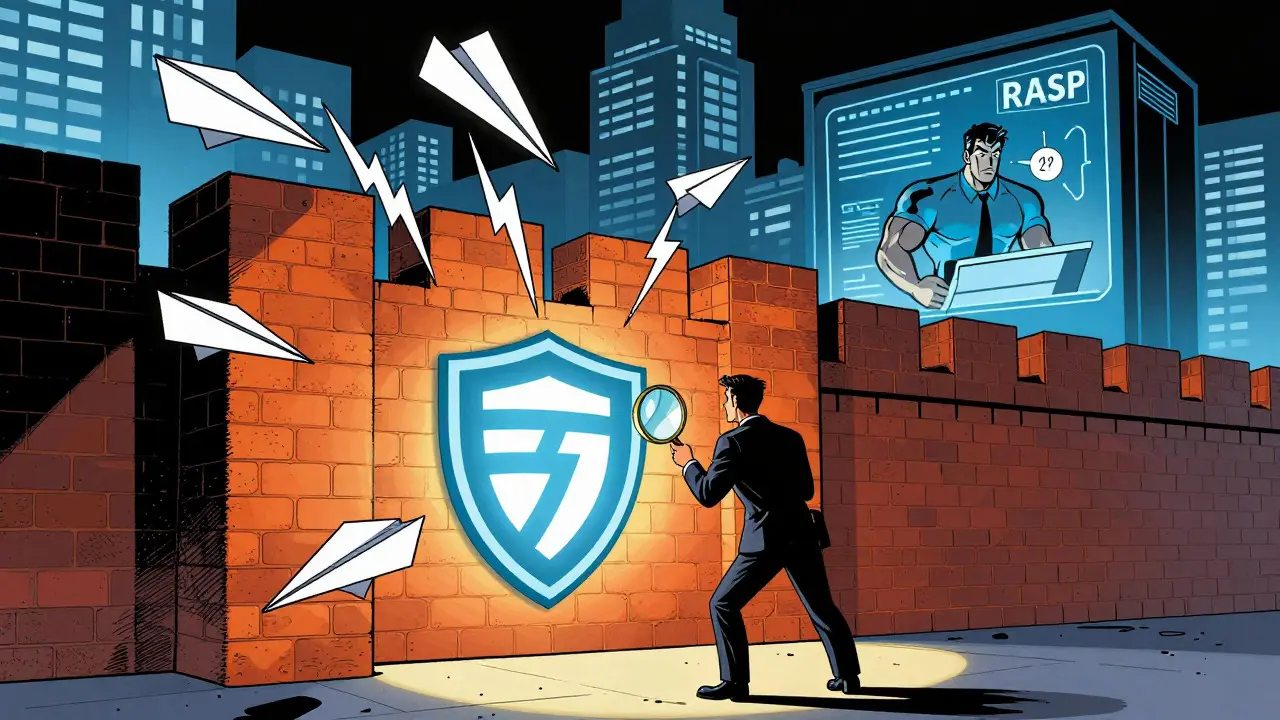
If the WAF is the bouncer, Runtime Application Self-Protection (RASP) is the bodyguard who follows you into the room. Runtime Application Self-Protection (RASP) is a security technology that instruments the application runtime environment to detect and block attacks based on internal behavior works differently. Instead of looking at network traffic, it hooks directly into your application’s code execution. It watches how your functions call each other. If your AI-generated code makes a database call that looks suspicious-like trying to access a table it shouldn’t-the RASP agent can stop it instantly.
This is particularly valuable for vibe-coded apps because AI might create unexpected execution paths. Maybe the AI wrote a function that processes user input in a way that wasn’t intended. RASP sees the actual flow of data inside the process. It knows the context. For example, if a variable is supposed to be an integer but suddenly contains a script, RASP flags it. The trade-off is complexity. Implementing RASP takes longer than setting up a WAF. You’re typically looking at 3 to 10 days for integration, compared to just a few hours for a cloud-based WAF. Also, RASP adds some performance overhead, usually around 5-15%, according to recent industry reports. But for high-value services, that cost is worth it for the deep visibility it provides.
Rate Limiting: Stopping the Brute Force
Vibe-coded applications often expose a lot of API endpoints quickly. Sometimes, too quickly. Developers might create dozens of endpoints for different features without thinking about how much traffic each one should handle. This opens the door to brute-force attacks. An attacker can simply hammer your login endpoint thousands of times per second until they guess the password. Rate limiting is a technique that restricts the number of requests a client can make to a server within a specific time window stops this dead in its tracks.
Effective rate limiting for AI-built services requires nuance. You can’t just set one limit for everything. Public endpoints, like a search bar, might handle 100 requests per minute safely. Authenticated endpoints, where users are already logged in, can probably handle 1,000 requests per minute. You should use sliding windows rather than fixed intervals to prevent bursts of traffic at the top of the hour. Cloud providers like AWS and Cloudflare offer built-in tools for this. AWS charges for advanced configurations, but the basic tiers are often sufficient for starting out. The key is to tune these limits so they don’t annoy your real users. If your AI app generates lots of background sync requests, a strict limit might break functionality. Test your limits with realistic user scenarios before going live.
Comparing the Three Protection Layers
Each of these tools solves a different problem. Using all three together creates a layered defense, which is exactly what security experts recommend. Here’s how they stack up:
| Feature | Web Application Firewall (WAF) | Runtime Application Self-Protection (RASP) | Rate Limiting |
|---|---|---|---|
| Deployment Time | 1-4 hours | 3-10 days | 4-8 hours |
| Protection Scope | Network perimeter (Layer 7) | Inside application runtime | API endpoint volume |
| Best Against | XSS, SQL Injection, Bot traffic | Logic errors, Zero-day exploits, Internal misconfigurations | Brute force, Resource exhaustion |
| Performance Impact | Negligible | 5-15% overhead | Negligible |
| Complexity | Low | High | Medium |
Notice how they complement each other. The WAF catches the obvious junk traffic. Rate limiting prevents the flood from overwhelming your servers. RASP catches the subtle logic bugs that slip past both. If you only pick one, start with the WAF and rate limiting. They are quick to deploy and cover the most common attack vectors. Add RASP later when your application becomes more complex or handles sensitive data.

Implementing Protections Without Slowing Down Development
You don’t want security to become a bottleneck. The goal is to integrate these tools smoothly into your existing workflow. Start by enabling default rule sets in your WAF provider. Most major clouds, like AWS and Azure, now have managed rules specifically for AI-generated code. AWS released a set of 47 specialized rules in January 2026 targeting common vulnerabilities in vibe-coded apps. Use these as your baseline. Then, customize them based on your specific application structure.
For rate limiting, begin with conservative estimates. Monitor your logs for the first week. If you see legitimate users getting blocked, adjust the thresholds upward. Keep an eye on error codes like 429 (Too Many Requests). If you see spikes, you know you need to tweak the settings. For RASP, plan ahead. It requires changes to how you deploy your application. You’ll likely need to install agents in your containers or virtual machines. Budget extra time for testing this phase. Make sure your CI/CD pipeline supports the additional configuration steps.
Don’t forget maintenance. Security isn’t a one-time setup. AI models change, and so do attack techniques. Plan to spend 4 to 8 hours monthly reviewing your rules and exceptions. Check for new vulnerabilities in your dependencies. Run regular scans to ensure your protections are still effective. Tools like Escape Technologies’ DAST methodology can help you validate that your exposed tokens are actually secure against non-destructive requests.
Frequently Asked Questions
Do I really need RASP if I have a good WAF?
If your application handles sensitive data or has complex business logic, yes. A WAF protects the perimeter, but it can’t see inside your code. RASP catches logic errors and zero-day exploits that bypass network filters. For simple static sites, a WAF might be enough, but for dynamic, API-heavy vibe-coded services, RASP adds a critical layer of depth.
How do I configure rate limits for AI-generated APIs?
Start with endpoint-specific thresholds. Public endpoints should have lower limits (e.g., 100 req/min) than authenticated ones (e.g., 1,000 req/min). Use sliding windows to smooth out traffic spikes. Monitor your 429 error rates closely during the first week and adjust based on actual user behavior to avoid blocking legitimate interactions.
What is the biggest security mistake in vibe coding?
Assuming AI-generated code is inherently secure. Many developers skip rigorous testing because the code 'works.' This leads to exposed secrets, misconfigured APIs, and missing input validation. Always treat AI code like junior developer code: review it thoroughly and test it aggressively before deployment.
How much does it cost to implement these protections?
Costs vary by provider. Cloud-based WAFs often have free tiers for basic usage, with paid plans starting around $30-$100/month for small businesses. Rate limiting is often included in API gateway services. RASP solutions are more expensive, typically requiring enterprise contracts, but self-hosted open-source options exist for smaller teams. Initial setup time is usually 20-40 hours total for all three layers.
Will these protections slow down my application?
WAFs and rate limiters have negligible impact on speed. RASP adds some overhead, typically 5-15%, because it inspects code execution in real-time. For most modern applications, this is acceptable given the security benefits. Optimize your RASP configuration to monitor only critical functions if performance is a concern.





9 Comments
Mark Harvey
Love this breakdown. It really hits home for anyone who has just started vibe coding and felt a bit exposed. The comparison table is super helpful for deciding where to start without getting overwhelmed by all the security jargon out there right now.
Art HND
RASP is overkill for most of these apps. They will be dead in six months anyway so why spend ten days integrating an agent that adds latency? Just use a WAF and move on with your life.
Brandon Olvera
Good article but it feels like it ignores the reality that most of these tools are just expensive wrappers around basic logic that we have had for decades. If you are going to pay for enterprise RASP you might as well hire a human to write the code properly instead of relying on AI to guess the context. American developers need to stop outsourcing their brains to models that don't understand liability.
Elizabeth Brooks
I totally agree with the point about rate limiting needing nuance. I got burned last month when my search endpoint started returning 429s because I set a flat limit across the board. It took me forever to figure out that my background sync jobs were eating up the budget before real users even hit the page. Definitely keep an eye on those error codes early on!
Deb Kortyna, MBA
One must not underestimate the administrative burden described here. While the technical merits are sound, the suggestion to spend four to eight hours monthly on rule review is, frankly, a luxury few small teams can afford. It transforms security from a one-time configuration into a perpetual operational cost that often goes unnoticed until a breach occurs. Furthermore, the reliance on 'managed rules' from cloud providers introduces a vendor lock-in risk that should be weighed against the convenience they offer. The narrative that runtime protections are a simple safety net is somewhat misleading; they are, in fact, complex systems requiring constant vigilance and expertise to maintain effectively.
alex kobri
There is a philosophical tension here between speed and correctness that we rarely talk about enough. We treat AI code like it is magic but it is really just probabilistic text prediction. The idea that a WAF is a bouncer is funny but bouncers only check IDs they do not check if the guest is actually dangerous inside the club. That is why the internal layer matters more than the perimeter in many ways. We build these things so fast we forget that trust is earned not assumed. The code works today but does it work when the input changes slightly tomorrow? That is the hard question no tool fully answers yet. We are just adding more layers of doubt to a system built on confidence. But better safe than sorry I suppose.
Zach Loescher
The part about AWS releasing specific rules for vibe-coded apps in Jan 2026 is interesting. It shows the industry is finally catching up to how people actually build software now. I was curious if anyone has found open-source alternatives to RASP that don't require an enterprise contract? The pricing section mentioned self-hosted options exist but didn't name any specific ones which made me wonder what the landscape looks like for smaller teams trying to stay secure without breaking the bank.
Quintin Franzese
Oh great, another reason to hate building web apps. First it's CSS, then it's JS frameworks, now it's making sure your AI-generated login page doesn't get brute-forced by a bot that costs $0.01 to run. I'm sure the 5-15% performance overhead is totally worth it for the peace of mind, right? Not.
Susan Cole
To add to the earlier point about maintenance: I find that the biggest hurdle isn't the initial setup but the documentation. When you have three different protection layers (WAF, RASP, Rate Limiting), figuring out which one blocked a request during an incident can be a nightmare if you haven't logged everything centrally. We recently switched to a unified logging stack specifically because our WAF logs and application logs were telling two different stories during a DDoS test. It saved us hours of debugging. Worth considering if you're scaling up.