
When you type a question into a generative AI tool, you’re not just asking for an answer-you’re handing over data. Maybe it’s a draft of a client contract. Maybe it’s internal emails. Maybe it’s source code no one else should see. And once it’s in, generative AI might keep it. Train on it. Remember it. Even if you delete the chat, the system might still have a copy. This isn’t science fiction. It’s happening every day in offices, labs, and startups around the world.
Organizations are rushing to use AI. According to Microsoft’s January 2026 Data Security Index, 82% of companies have plans to embed generative AI into their operations by this year. But here’s the problem: most of them aren’t ready for the privacy fallout. Employees are uploading sensitive files to public AI tools like ChatGPT, Gemini, and Claude without realizing what’s happening behind the scenes. Kiteworks’ 2026 AI Data Crisis report found that 31% of workers upload company data to personal AI apps every month. Half of those uploads contain regulated information-health records, financial data, legal documents. And that’s just the tip of the iceberg.
Minimization: Less Is More
Stop collecting data you don’t need. That’s the core idea behind data minimization. It sounds simple, but in practice, it’s radical. Most people treat AI like a search engine-they paste entire documents, full email threads, even screenshots of internal dashboards. That’s a recipe for disaster.
The Harvard University Privacy and Security Office (PrivSec) gives one clear rule: Never paste unpublished research, internal communications, or proprietary documents into AI prompts. Instead, use de-identified examples. If you need help rewriting a contract, don’t upload the real one. Create a fake version with made-up names, dates, and numbers. If you’re debugging code, paste only the relevant function-not the whole project folder.
Technically, this means using Data Loss Prevention (DLP) tools that scan what users try to send to AI systems. These tools can block uploads containing Social Security numbers, credit card patterns, API keys, or source code. Microsoft’s research shows organizations that switch from scattered tools to unified data security platforms see a 37% drop in AI-related data incidents. It’s not magic-it’s control. You need to know what data is leaving your network and why.
Think of it like this: if you’re sending a letter, you don’t include your entire diary. You include only what’s necessary. The same applies to AI. The Future of Privacy Forum calls this ruthless data minimization. It’s not about being cautious. It’s about being deliberate.
Retention: What Gets Stored-and For How Long
Here’s something most users don’t realize: AI tools often have memory. ChatGPT, Gemini, and even Meta AI can store your past conversations to improve future responses. That sounds helpful-until you realize it means your confidential data is sitting on a server, possibly forever.
Harvard PrivSec warns: AI-enabled browsers may retain web content, prompts, or activity for processing. If you’re using AI through your browser, your history might be logged. If you’re using an app, your chats might be tied to your account. And if you ever turn on “agent mode” or “memory mode,” the AI might act on your behalf-submitting forms, sending emails, or even accessing files without your direct input.
Here’s what you can do:
- In ChatGPT: Go to Settings > Personalization and turn off “Chat History and Training.”
- In Gemini: Toggle off “Your past chats” in the activity settings.
- In Meta AI: Delete all chats and images from the app settings.
But manual settings aren’t enough. Companies need automated retention policies. Microsoft found that organizations with automated deletion rules for AI interactions cut data leakage incidents by 52%. That means: if a user uploads a file to an AI tool, the system should automatically delete the copy after 24 hours-or after the task is done. No exceptions.
Kiteworks’ approach is stricter: data never leaves the private network. AI tools interact with information inside a secure, governed environment. Every access request is logged. Every action is authenticated. No data is stored externally. This is the gold standard-and it’s becoming the expectation.

Anonymization: Hiding What Can’t Be Removed
Sometimes, you can’t avoid using real data. Maybe you’re testing an AI model on real customer behavior. Maybe you’re training it on internal reports. In those cases, anonymization is your last line of defense.
But here’s the catch: traditional anonymization doesn’t always work with AI. Why? Because AI is good at guessing. It can reconstruct identities from seemingly harmless data. A 2025 study from OWASP showed that even after removing names and addresses, AI models could still infer a person’s income, health conditions, or political views based on their writing style, location patterns, or device usage.
So what actually works?
- Remove metadata. A screenshot might look clean-but it could still contain GPS coordinates, camera model, or timestamps. Use tools like Adobe Acrobat or online metadata removers to strip all hidden data before uploading.
- Use synthetic data. Generate fake but realistic datasets. Tools like Gretel.ai or Mostly AI create synthetic customer records that behave like real ones but contain no actual personal information.
- Apply access controls. Kiteworks uses attribute-based access controls to make sure AI systems only see data their users are allowed to see. If an employee can’t view a patient’s medical history, the AI they’re using shouldn’t be able to either.
- Encrypt everything. Data in transit should be protected with TLS 1.3. Data at rest should be double-encrypted-at both the file and disk level. This way, even if a breach happens, the data is useless.
And don’t forget the “consent paradox.” If an AI infers that someone has a chronic illness based on their email tone, who gave consent for that? You didn’t collect that data. The AI created it. That’s a legal gray zone-and regulators are starting to crack down.
The Bigger Picture: Governance Over Blockades
Some companies try to ban AI entirely. They block access to ChatGPT. They forbid employees from using AI tools. It sounds safe. But it doesn’t work. People still use AI. They just use it in secret. And that’s riskier.
RadarFirst’s 2026 report says it plainly: Blocking AI has proven futile. Sustainable security means enabling innovation-with control.
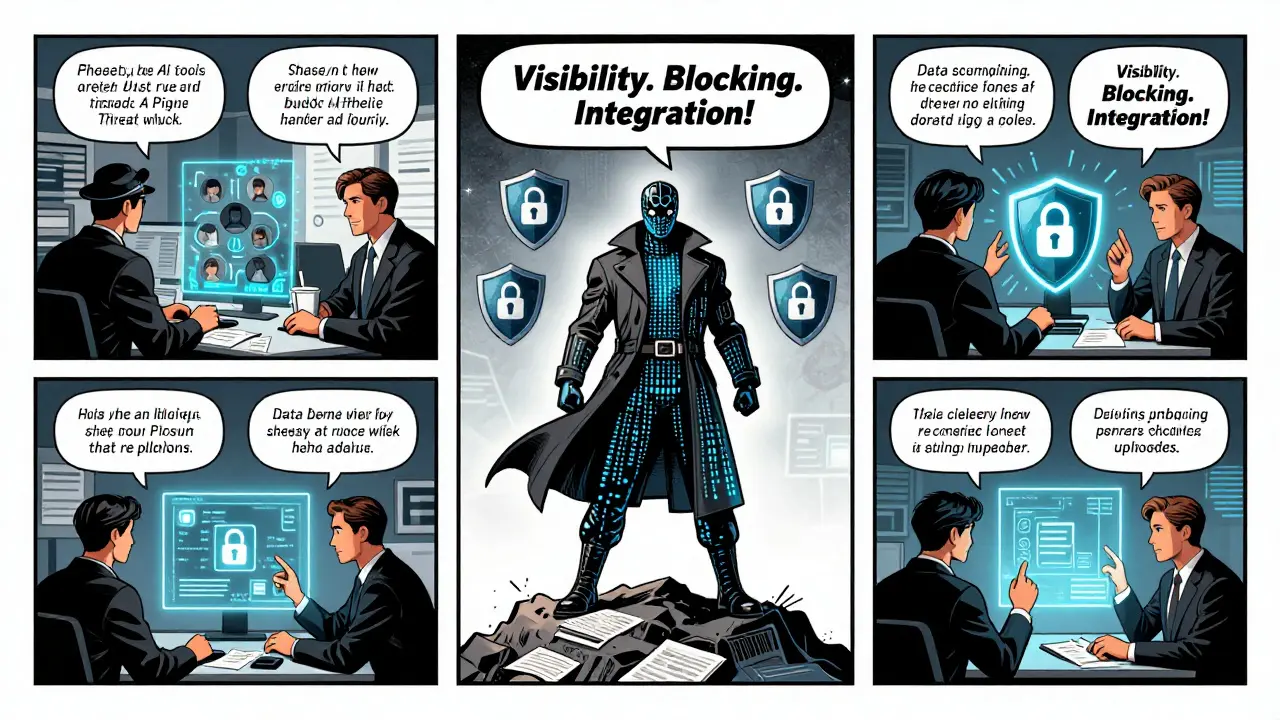
The winning approach? Three phases:
- Visibility. Find out where AI is being used. Which tools? Which departments? Which files are being uploaded? This takes 4-8 weeks.
- Blocking. Shut down high-risk public tools. Replace them with approved, enterprise-grade alternatives that have built-in privacy controls. This takes 2-6 weeks.
- Integration. Embed governance into daily workflows. Train teams. Automate logging. Set retention rules. Deploy DLP. This takes 6-12 weeks.
Organizations that do this right don’t just avoid fines. They build trust. They reduce incident response times by 68%, according to Kiteworks. And they turn AI from a liability into a security asset.
What’s Coming Next
By August 2026, the EU AI Act will require full transparency from all generative AI systems. Companies will need to disclose what data their models were trained on. They’ll need to explain how decisions are made. And they’ll need to prove they’ve minimized, retained, and anonymized data properly.
Gartner predicts the AI governance market will hit $18.7 billion by the end of 2026. That’s not just because of regulation. It’s because companies are realizing: if you don’t control your data, AI will control you.
And the threats are getting smarter. OWASP warns of “reconstruction attacks”-where AI pieces together anonymized data to re-identify individuals. TrustArc warns of “dark patterns”: sneaky UI designs that trick users into giving up more data than they think.
But here’s the good news: the tools to protect yourself exist. The frameworks are clear. The regulations are coming. The question isn’t whether you can afford to act. It’s whether you can afford not to.
Can I trust AI companies that say they won’t use my data for training?
Some paid services, like ChatGPT’s health-focused offering, do promise not to use your data for training. But always check the fine print. Many companies still retain data for internal improvement unless you explicitly opt out. Even then, there’s no guarantee they won’t use it indirectly-like to improve their models through aggregated patterns. If you’re handling sensitive data, assume your inputs are being used unless you have a signed agreement that’s legally enforceable.
Is anonymizing data enough to protect against AI privacy risks?
No. Anonymization alone is not enough. AI models are powerful enough to reconstruct identities from seemingly harmless data. For example, combining location history, writing style, and time stamps can reveal who someone is-even without names. True protection requires combining anonymization with data minimization, encryption, and strict access controls. Think of it like a lock: a good lock helps, but you still need to keep the key safe and not leave the door open.
What should I do if I accidentally uploaded sensitive data to a public AI tool?
Delete the chat immediately. Turn off chat history and training in the tool’s settings. If the data was highly sensitive (like medical records or financial details), notify your organization’s privacy officer. In some cases, you may need to report it under GDPR or CCPA rules. Going forward, use DLP tools to block future uploads and train your team on safer alternatives like synthetic data or internal AI gateways.
Do I need to train employees on AI privacy?
Absolutely. Kiteworks found that teams needed three weeks of training before they felt confident handling data safely with AI. Most people don’t realize how much information they’re giving away-metadata in screenshots, context in emails, patterns in code. Training should include hands-on demos: show them what happens when they paste real data versus fake data. Make it part of onboarding. Make it ongoing.
How do I know if my organization is ready for AI privacy compliance?
Ask yourself three questions: Can you explain to a regulator exactly how your AI uses data? Do you have automated policies that delete AI inputs after use? Are you logging every AI interaction with user IDs, timestamps, and data classifications? If you can’t answer yes to all three, you’re not ready. Start with a data map: list every AI tool in use, what data flows through it, and who has access. That’s your first step toward compliance.
AI isn’t going away. The question isn’t whether to use it. It’s whether you’ll control it-or let it control you.





6 Comments
Tarun nahata
Yo, let’s be real-AI isn’t some magic genie. It’s more like that one friend who remembers EVERYTHING you ever said, even when you swore it was off-the-record. 🤯 I’ve seen devs paste full API keys into ChatGPT like it’s a notepad. Bro, that’s not innovation, that’s a security circus. But here’s the win: once you start using synthetic data? Game changer. Tools like Gretel.ai? Absolute lifesavers. You get realistic patterns without leaking a single real SSN. Stop treating AI like a public notepad. Treat it like a vault with a strict keyholder. And yeah, turn off training. Seriously. Just do it.
Aryan Jain
They say ‘minimize data’ like it’s that easy. But who’s really controlling this? Big Tech’s AI models are trained on OUR data-every email, every code snippet, every half-drunken rant. And now they’re saying ‘we won’t use it’? LOL. The EU AI Act? A PR stunt. They’ll just move servers to Singapore or Dubai. And don’t get me started on ‘anonymization’-you think removing names stops an AI from reconstructing your life from your typing rhythm? Nah. It’s all a trap. The system wants to own your thoughts. You think you’re using AI? AI is using YOU. Wake up.
Nalini Venugopal
Okay, I just had to say this-thank you for writing this. So many people treat AI like a search engine, but you broke it down like a pro. I especially loved the ‘letter vs diary’ analogy. So clear. And the part about metadata in screenshots? Mind blown. I used to screenshot Slack threads and paste them into Gemini. Now I use Snip & Sketch to strip EXIF before uploading. Small change, huge difference. Also, turning off chat history took me 3 tries. Worth it. 🙌
Pramod Usdadiya
hey man, i just wanted to say i read ur post and its really helpful. i work in a startup and we just started using claude for drafting emails. i had no idea it was saving our chats. i turned off training today. also, i just learned about synthetic data-sounds like sci fi but its real? wow. thanks for the tip on gretel.ai. gonna try it tomorrow. also, sorry for typos, im typing on my phone and my thumbs are tired 😅
Aditya Singh Bisht
Let me tell you something-this isn’t about fear. It’s about power. Every time you minimize data, you take back control. Every time you use synthetic datasets, you’re not just protecting your company-you’re building a better future for AI. I’ve seen teams go from panic to pride in 6 weeks. They started with one DLP rule. Then two. Then automation. Now they’re training new hires in 10 minutes. No more ‘oops I pasted the contract.’ Just clean, smart, confident work. And guess what? Productivity went up. Because when you stop worrying about breaches, you can actually innovate. This isn’t a restriction. It’s liberation.
Agni Saucedo Medel
100% agree with Aditya. And also-emoji alert! 🔒🧠💡 I just implemented the 3-phase approach at my team. Visibility → Blocking → Integration. Took 8 weeks. We blocked public AI tools. Gave everyone a secure internal AI gateway. Now we log every prompt. Even the dumb ones. 😆 And guess what? No breaches. Zero. Plus, people actually LIKE using AI now because they feel safe. Also, I made a meme: ‘My AI doesn’t remember your secrets. My DLP does.’ Got 47 likes. #AIPrivacyWins 🫶