
Large language models like Llama-70B or GPT-4 used to need racks of high-end GPUs just to run. Five NVIDIA A100s? That’s not a home setup-that’s a data center budget. But today, you can run an 8-billion-parameter model on a single RTX 4090. Not because GPUs got five times bigger, but because we learned how to shrink the models to fit.
Why Hardware Matters More Than You Think
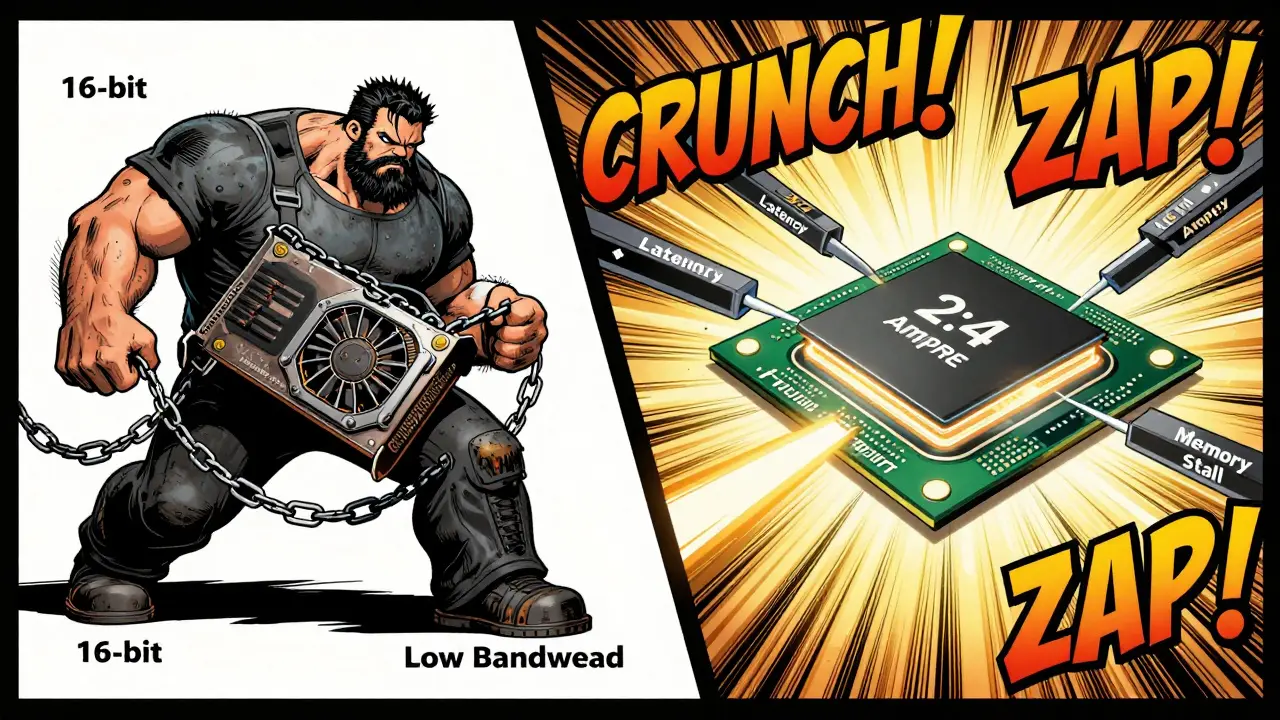
You can’t just take a giant model and throw it at any GPU and expect it to work. Even if the VRAM fits, the real bottleneck isn’t memory size-it’s memory bandwidth. Every time the GPU needs to fetch weights from RAM, it stalls. That’s why a model compressed to 4-bit can run 3× faster than its 16-bit version, even if both fit in memory. The difference isn’t in compute power-it’s in how often the chip has to wait for data. This isn’t theoretical. Red Hat’s benchmarks in early 2024 showed that compressed LLMs cut latency by 4× and boosted throughput by 3× on consumer-grade hardware. That’s the difference between waiting 12 seconds for a response and getting it in 3. That’s what makes hardware-friendly compression real, not just academic.How Compression Actually Works: Quantization, Sparsity, and Beyond
There are three main ways to shrink a model without breaking it: quantization, pruning, and encoding. Each targets a different part of the model’s structure. Quantization is the most common. It’s like reducing a 16-bit color image to 8-bit-you lose some detail, but it still looks fine. GPTQ turns weights from 16-bit floating point (FP16) down to 4-bit integers. That’s a 4× memory reduction. SmoothQuant does the same for activations, cutting memory use by half. And SqueezeLLM uses clustering to group similar weights, letting you drop to 3-bit with minimal accuracy loss. Pruning removes useless connections. SparseGPT cuts 50% of weights by identifying the least important ones. But here’s the catch: it only works well on newer GPUs with structured sparsity support-NVIDIA Ampere and later. Older cards like the RTX 3090 actually get slower because they can’t handle sparse math efficiently. The GPU needs special tensor cores designed for 2:4 patterns (two non-zero weights in every group of four). AMD and Intel GPUs still struggle here. Encoding is the final touch. Huff-LLM compresses weights using Huffman coding-like ZIP for numbers. It doesn’t change the model’s structure, just stores it more efficiently. The result? 15-32% less memory use and up to 31% faster inference, all without touching accuracy.The Best Techniques for Real-World Use
Not all compression methods are created equal. Here’s what works best depending on your goal:- For consumer GPUs (RTX 4090, 3090): Use GPTQ-4bit. It’s stable, widely supported, and cuts memory use from 48GB to under 22GB for an 8B model. Accuracy drops around 1-2% on benchmarks like MMLU-barely noticeable in chat.
- For low-power devices (Jetson AGX Orin, Raspberry Pi): Try SqueezeLLM. It’s designed for 3-bit and works well on edge hardware. One developer got 2.3× speedup on a medical LLM, but needed 12 hours of fine-tuning to recover accuracy.
- For cloud-scale deployments: Combine techniques. The Compression Trinity from the University of Toronto merges quantization, pruning, and LoRA fine-tuning. It hits 98.7% of original accuracy at 4-bit + 50% sparsity. That’s the gold standard for enterprises.
- For maximum speed on NVIDIA hardware: Use DC-LLM. It uses a clever trick with Linear Feedback Shift Registers to generate weight matrices on the fly. At 3.3 bits per weight, it beats GPTQ-3bit by 1.8% in accuracy and runs 4× faster on custom ASICs.
But here’s the hard truth: no single method is perfect. GPTQ needs calibration. SparseGPT breaks on old GPUs. SqueezeLLM needs hours of tuning. The best approach? Start with GPTQ-4bit. It’s the lowest friction path to getting a big model running on your machine.
What You Need to Know Before You Start
If you’re thinking about compressing a model yourself, here’s what you’ll face:- Hardware requirements: You need CUDA 12.1 or higher. Many compression tools fail because users install the wrong version. Red Hat’s data shows 37% of failures are due to CUDA mismatches.
- Accuracy trade-offs: Long-context tasks (like reading a 32K-token document) lose up to 4.7% accuracy at 4-bit. Use Enhanced Position Layout (EPL) to help-this technique rearranges how tokens are stored to preserve context.
- Framework support: Use vLLM or TensorRT-LLM. They have optimized kernels for compressed models. One developer cut deployment time from 8 hours to 45 minutes just by switching to vLLM.
- Testing is non-negotiable: Standard benchmarks like MMLU don’t catch everything. If your model answers medical questions or legal queries, test it on real data. A Reddit user compressed a clinical LLM and found it failed on 18% of niche questions until they fine-tuned it.
What’s Coming Next
The field is moving fast. NVIDIA’s Blackwell architecture, released in May 2025, includes dedicated hardware for 4-bit inference-1.8× faster than Hopper. AMD’s MI350, shipping in late 2025, will finally catch up on sparse matrix performance. Google’s upcoming CompressFormer will adjust compression on the fly based on how complex the input is. And Meta is bringing hardware-aware compression straight into PyTorch 3.0, expected in November 2025. The biggest change? Standardization. MLCommons is finalizing the LLM Compression Standard v1.0, expected in Q1 2026. That means a model compressed on an NVIDIA card should run just as well on an AMD or Intel system. Right now, that’s not true.
Why Enterprises Are Adopting This Now
This isn’t just for hobbyists. IDC reports that 68% of companies now use some form of LLM compression in production-up from 22% just two years ago. Why? Money. Roblox scaled from 50 to 250 concurrent AI inference pipelines by switching to compressed models and vLLM. Their compute costs dropped by 63%. That’s not a tweak-that’s a business decision. Cloud providers like AWS and Azure now offer built-in model optimization tools. If you’re running LLMs at scale, not compressing them is like driving a sports car with the parking brake on.When Compression Goes Wrong
Not every compression attempt succeeds. And some failures are dangerous. Dr. David Patterson from Google warned at Hot Chips 36 that compressing below 4-bit risks catastrophic failures in safety-critical systems. Imagine a medical assistant misreading a symptom because a quantized weight drifted too far. It’s not a bug-it’s a silent corruption. And then there’s bias. Professor Anna Rohrbach from USC found that compressed models can develop subtle, undetectable biases. A model might answer questions about gender or race differently after quantization, even if accuracy scores look fine. Standard evaluations don’t catch this. Even security is affected. A February 2025 USENIX paper showed quantized models are 23% more vulnerable to adversarial attacks. Tiny tweaks to input text can trick a compressed model into giving wrong answers more easily than a full-precision one.What You Should Do Today
If you’re a developer:- Start with a model like Llama-3-8B or Qwen-7B.
- Use the LLM Compressor library or AutoGPTQ to apply GPTQ-4bit.
- Test on your actual use case-not just MMLU. Try real prompts.
- Use vLLM for inference. It handles compressed models better than most.
- Monitor memory usage. If you’re under 24GB on an RTX 4090, you’ve succeeded.
If you’re managing infrastructure:
- Don’t buy new GPUs just to run bigger models. Optimize what you have.
- Build a compression pipeline into your deployment workflow.
- Track accuracy drift after compression. Set thresholds for acceptable loss.
- Start with quantization-only. Avoid sparsity until your team understands the trade-offs.
The era of needing a data center to run a big language model is over. We don’t need bigger hardware-we need smarter models. Hardware-friendly compression isn’t a niche trick. It’s the new baseline. The models are getting smarter. Now, the hardware is finally catching up.





7 Comments
Vishal Gaur
man i tried running qwen-7b on my 3060 and thought i was gonna die from the heat, but gptq-4bit? absolute magic. it went from 'this is a slideshow' to 'hey i can actually chat while making coffee' in like 10 minutes. dont even get me started on how much less fan noise i hear now. i still dont know what smoothquant is but i dont care, it just works. also my gpu temps dropped like 20c, which means i can finally leave the ac on without my electricity bill screaming at me.
Nikhil Gavhane
This is one of those posts that makes you feel like you’re finally catching up with the future instead of chasing it. I used to think running LLMs meant buying a whole new rig. Now I see it’s more about smart choices than hardware muscle. The part about accuracy drift in medical use cases really stuck with me. We’re not just optimizing for speed-we’re protecting trust. Thank you for laying this out so clearly.
Rajat Patil
It is important to note that the reduction in memory usage does not always equate to improved performance in all scenarios. While quantization offers significant benefits in terms of storage and inference speed, one must carefully evaluate the trade-offs in accuracy, especially when deploying models in environments where precision is critical. The use of standardized benchmarks and real-world testing is not optional but essential. One should not rely solely on theoretical gains without empirical validation.
deepak srinivasa
So if I understand correctly, sparseGPT only works on newer NVIDIA cards because of the 2:4 tensor core support? What about AMD’s MI350? Will it actually support that pattern or is it just marketing? And what happens if you try to run a 4-bit model compressed with GPTQ on an Intel Arc card? Does it just crash or does it fall back to slow CPU mode? I’m trying to decide if I should wait for the new hardware or just stick with my 3090.
pk Pk
If you’re still using a 3090 and thinking you need a 4090 to run LLMs, you’re leaving performance on the table. GPTQ-4bit is your new best friend. I’ve seen people waste thousands upgrading hardware when all they needed was a 30-minute script. Start with Llama-3-8B. Use AutoGPTQ. Run it in vLLM. Test with your own prompts. Don’t just trust MMLU scores. And if you’re managing teams-stop buying new GPUs until you’ve exhausted optimization. This isn’t about tech-it’s about discipline. You can do this.
NIKHIL TRIPATHI
Honestly, I didn’t expect to care this much about model compression until I tried it. My 4070 Ti used to choke on anything over 7B, now I’m running 13B models with 30% context length. The part about Huffman coding for weights? Wild. I thought that was just for audio files. Also, big props to the person who mentioned EPL for long-context-my legal QA bot stopped hallucinating case details after I turned it on. vLLM is a game changer, no doubt. And yeah, I tried pruning on my 3090 and it got slower. Don’t do that. Stick to quantization unless you know your GPU supports structured sparsity.
Shivani Vaidya
Compression is not a shortcut-it is a responsibility. The silent drift in bias and the increased vulnerability to adversarial attacks are not theoretical risks. They are real consequences that affect real people. Before deploying any compressed model, especially in healthcare, education, or legal domains, one must implement rigorous bias audits and adversarial testing. Accuracy scores alone are insufficient. The cost of failure is too high to ignore.